
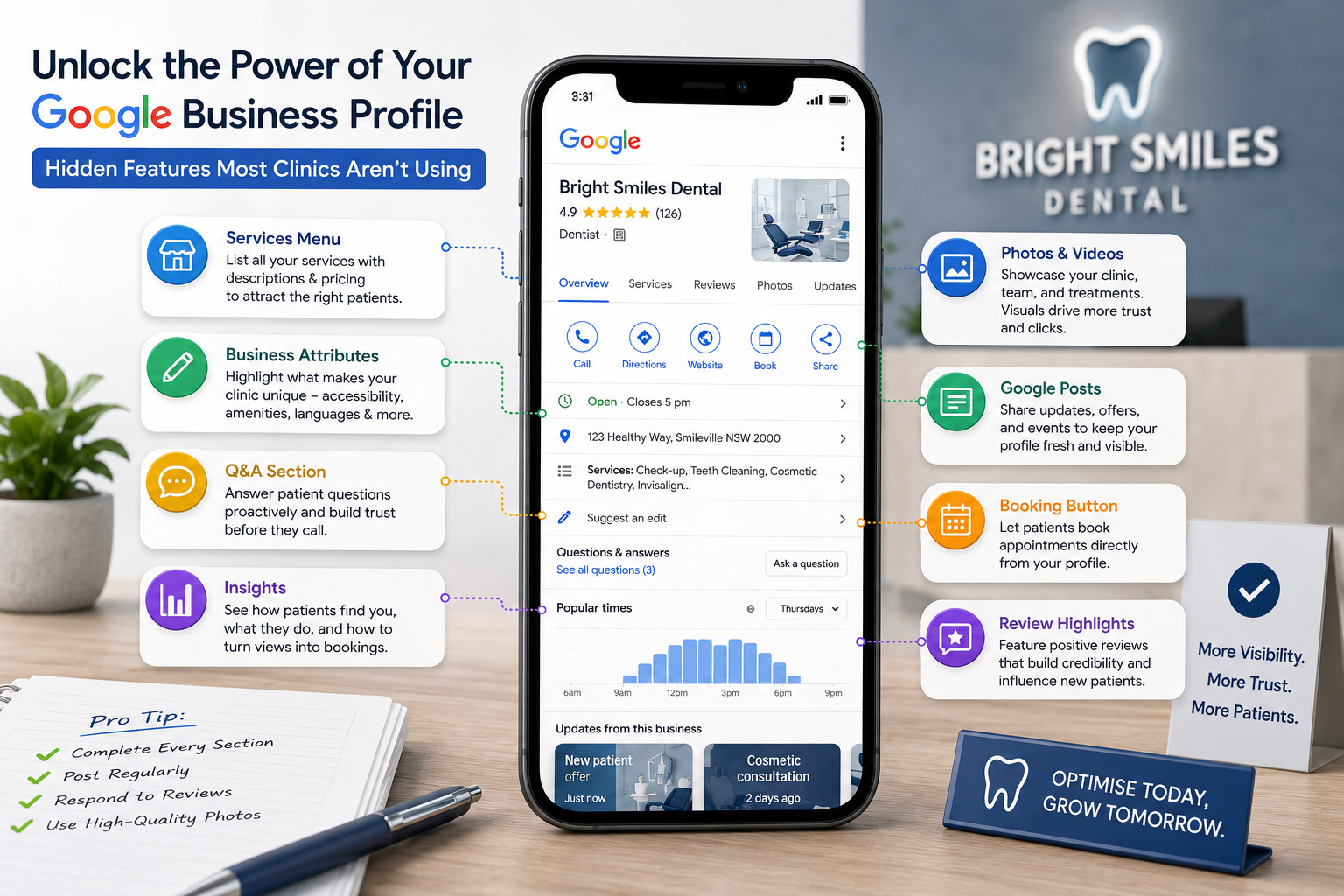
Most dental clinics treat their Google Business Profile like a phone book entry.
What many dental practices don’t know is that clinics ranking in the top three of the map pack treat it like a marketing channel.
That means they post weekly, they answer questions before patients ask twice, upload photos every month, and turn on features other clinics don’t even know exist.
The gap between those two approaches is bigger than most practice owners realise.
A fully optimised Google Business Profile is one of the most powerful local SEO for dentist tools available, and it’s free. The problem is that Google rolls out new features quietly, hides others behind menus, and rarely tells you what’s actually moving rankings.
This guide pulls back the curtain on the features most clinics aren’t using and how each one ties into ranking, booking, and patient experience.
Why Most Dental Practices Underuse Their Profile
It’s not laziness. It’s that no one tells you what’s there.
A dental clinic owner sets up the profile during opening week. Six months in, a few reviews come through. A year in, the profile still works, but nothing has been added since launch.
Meanwhile, the clinic ranking above you in the map pack has:
- Twelve months of weekly Google posts
- Forty questions answered in the Q&A section
- A direct booking link wired into the profile
- Photos added every month, geotagged where appropriate
- Service categories filled out completely
Each feature alone is small. Together, they signal an active, established, trusted business — which is what Google’s algorithm rewards.
A strong Google My Business optimisation strategy isn’t about one big setup. It’s about turning the profile into a channel that runs continuously.
Most clinics get 30% of the value from their profile. The top-ranking ones get 90%.
The Booking and Call Features That Drive Direct Conversions
These are the features that turn map pack visibility into booked patients. They also happen to be the ones most clinics skip.
Booking buttons
Google lets you add a booking link directly to your profile, so patients can book without leaving search results. If your clinic uses HotDoc, HealthEngine, or a similar platform, this integrates natively. For custom booking systems, you can add a direct link.
The result is a one-tap path from “dentist near me” to a booked appointment.
Call tracking
Use a tracking number on your profile, not your main reception line. This lets you see how many calls actually come from Google. They will also be separate from website calls, ad calls, or referrals.
Most clinics have no idea how many bookings start with a GBP call. The ones tracking it adjust everything else based on that data.
Messaging
Google’s messaging feature lets patients send a direct message from their profile. When used carefully, this catches patients who not only don’t want to call, but won’t fill out a form either.
Important: AHPRA rules still apply. Don’t make clinical claims in messages, and respond within 24 hours or turn the feature off.
If you’re refining your overall dental SEO foundation, our SEO service covers profile audits and ongoing GBP management that we run with clients.
The Content Features That Signal Activity to Google
Google rewards profiles that look alive. These are the features that send that signal.
Google Posts
A weekly post keeps your profile active in Google’s eyes. Posts also appear directly in your map pack listing for the first seven days.
Most clinics never post. The ones that do see noticeable lifts in profile views and direction requests.
Google Q&A
Patients can ask questions on your profile, and anyone can answer, including other patients, who don’t always get it right.
The fix: pre-populate your Q&A with the questions you hear most at reception (“Do you bulk bill?”, “Do you treat children?”, “Is there parking?”). Answer them yourself, as this both serves patients and gives Google more content to index.
Services and Products
Most clinics offer two or three services. The Services section lets you list every treatment you offer, with descriptions and pricing if you choose. Each one becomes a searchable element on your profile.
For dental marketing, this is one of the highest-leverage updates you can make in an afternoon.
Photos
Add photos monthly, most specifically, real photos of the clinic, the team, the reception, the treatment rooms. Avoid stock images because Google can often tell, and patients always can.
Geotag photos where appropriate, but avoid exaggerated claims about locations or services. Misleading geotags can get a profile suspended.
The Trust and Engagement Features Patients Respond To
These features build patient confidence at the moment they’re choosing between clinics.
Review replies
Try to reply to every review within 48 hours. Positive reviews get a short, warm thank-you, while negative reviews get a calm, professional response that acknowledges the concern and invites a private conversation.
Patients reading reviews pay as much attention to how you respond as to what was said. A clinic that replies to negative reviews professionally often books patients who would have ruled them out based on a bad review alone.
Attributes
Google lets you tag attributes, like when your practice is wheelchair accessible, accepts new patients, is women-led, identifies as LGBTQ+ friendly, and speaks multiple languages. These appear on your profile and influence which patients see your listing for filtered searches.
Most clinics leave these blank, so filling them out is a 15-minute job that quietly improves visibility for patients searching with specific filters.
Health insurance information
You can list the health funds you accept directly on your profile. Patients filtering for specific insurance providers find this immediately useful.
For a dentist’s local SEO strategy, this is a small but meaningful trust signal.
What to Track
Most clinics don’t open GBP Insights more than once a year. What they are missing our is data that is more useful than they realise.
Track these monthly:
- Search queries that triggered your profile — branded vs non-branded
- Profile actions — calls, website clicks, direction requests, messages
- Photo views compared to local competitors
- Post engagement — which posts drove the most clicks or calls
- Direction requests by area — which suburbs your patients are actually coming from
This data tells you what’s working and what isn’t. The clinics that adjust based on GBP Insights consistently outperform the ones that just check star ratings.
The Key Takeaway: A Profile That Compounds
The dental practice marketing playbook for Google Business Profile isn’t complicated. It’s just consistent.
Just make sure to post weekly, reply to every review, add a photo a month, answer questions, track what’s working, and adjust quarterly.
Six months in, the profile starts pulling ahead of competitors who set theirs up and walked away. Twelve months in, the gap is hard to close.
A Google Business Profile rewards activity. The clinics that use the hidden features pull ahead of those that don’t.
Ready to Get More From Your Profile?
Let’s help your clinic turn an underused Google Business Profile into a top-ranking, booking-generating channel.
Dental Rank specialises in dental marketing across Australia, building Google My Business SEO strategies for dental clinics that move the map pack and convert visibility into booked patients.
If you want to get a full website and profile audit, our team is here to make it easier for you. Schedule your free consultation today.
Frequently Asked Questions
How often should I update my Google Business Profile?
Post weekly, add photos monthly, reply to reviews within 48 hours, and audit the full profile quarterly. Profiles that go silent for months lose visibility in the map pack, even if the basic information is still correct.
Does adding a booking button to my Google Business Profile actually drive bookings?
Yes. For most clinics, the booking button becomes one of the top conversion paths from Google. Patients prefer the one-tap journey from search to booking over clicking through to a website. Track it as a separate conversion to see the impact.
What’s the difference between Google Business Profile and Google My Business?
They’re the same product. Google renamed Google My Business to Google Business Profile in late 2021. You’ll still see both names used interchangeably across the industry.
Can I have multiple Google Business Profiles for one dental clinic?
Only if you have genuinely separate physical locations. Creating duplicate profiles for the same location violates Google’s guidelines and can trigger suspensions. For clinics with multiple suburbs, each location needs its own verified profile and ideally its own page on the website.
How long does it take to see ranking improvements from optimising my profile?
Most clinics see meaningful map pack movement within two to four months of consistent profile activity. Hyper-competitive suburbs may take six months or longer. The variables are your starting point, your competitors’ activity, and how consistently the work gets done.