
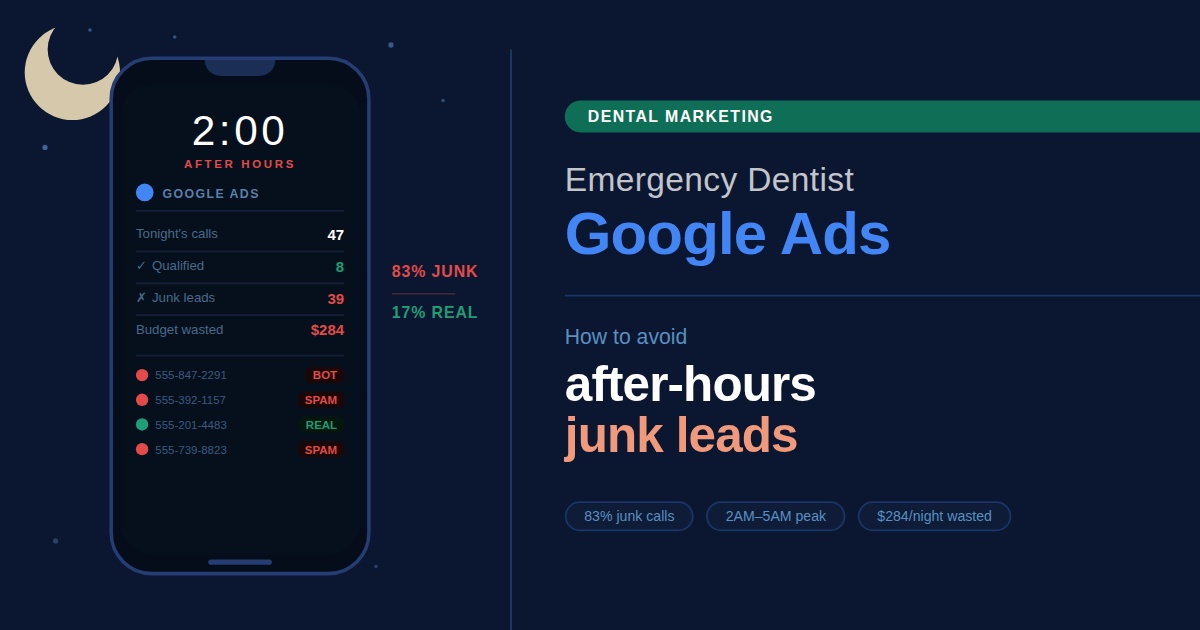
It’s 11:47pm. Your phone lights up.
Someone clicked your ad, filled out the form, then went silent.
By morning, your reception has six new “leads.” Three are spam, two won’t pick up, one wants a price for a service you don’t offer.
That’s the reality of running emergency dentist Google Ads without the right filters in place.
Emergency campaigns are some of the highest-intent ads you can run. They’re also the easiest to waste money on. A single after-hours click can cost $20+, and if half of them are unqualified, your cost per booked patient quietly doubles.
In this guide, we’ll cover:
- Why emergency dental PPC attracts so many junk leads
- The settings that actually filter for real emergencies
- How to structure call-only ads emergency dentist campaigns for higher intent
- What to put on your landing page for emergencies (and what to leave out)
- How to track conversions properly so you know what’s working
Let’s get into it.
Why Emergency Campaigns Attract Junk Leads in the First Place
Emergency dentist keywords are broad by nature.
Someone searching “emergency dentist near me” at 2am could be:
- A patient with a genuine dental emergency
- A parent looking for advice, not a booking
- Someone shopping prices across five clinics
- A bot or click-fraud script
Without filters, your ads serve all of them equally.
That’s where the leak starts.
The same urgency that makes these searches valuable also lowers the bar for who’s willing to fill out a form. People are tired, in pain, or panicking, so they tend to click first and think later.
Your campaign needs to do the thinking for them.
The Settings That Actually Filter for Real Emergencies
Most emergency dental PPC accounts we audit are leaking budget on the same handful of settings. Here’s what actually moves the needle.
1. Ad schedule (dayparting) with intent in mind
Don’t run 24/7 just because emergencies happen 24/7.
Run when your clinic can actually answer the phone or accept a same-day booking. If you can’t see patients between midnight and 6am, your ads should not drive form fills during those hours because those leads will be cold by morning.
A common setup:
- Active hours (book online + call): standard clinic hours
- Active hours (call-only): weekday evenings + weekends
- Paused or call-only: overnight, when nobody’s answering
This single change often cuts after-hours junk leads by 40% or more.
2. Geo targeting tightened to your real catchment
Default geo targeting is too generous.
Set a radius that matches the distance a patient in pain would actually travel, usually 10–15km in metro areas, larger in regional areas. Anything broader pulls in price shoppers from suburbs you will never service.
For urgent dental care in Google Ads, location precision matters more than reach.
3. Match types and a serious negative keywords list
Broad match is where junk leads to breed.
For emergency campaigns, lean on phrases and exact matches. Then build a negative keywords list that filters out:
- Free / cheap / bulk billed (unless that’s your offer)
- DIY / home remedy / how to
- Veterinary / pet / dog / cat
- Specific procedures you don’t offer (wisdom tooth, implants, etc. Only if you don’t do them)
Check your search terms report weekly for the first month. The wasted spend hides there.
4. Call-only ads and call assets
For after-hours dentists on Google ads, calls beat form fills every time.
A call is a higher-commitment action than a form. People in real pain want to talk to someone now. Use:
- Call-only ads during evening and weekend hours
- Call assets (formerly call extensions) on your standard search ads
- Location assets so patients see how close you are before clicking
You will spend more per click but pay less per booked patient.
Structuring the Campaign Itself
A clean structure makes everything else easier to manage.
Most accounts we take over have one bloated “Emergency” campaign with mixed match types, no schedule, and a single ad group containing everything. That’s the source of the junk lead problem.
Here’s a tighter structure:
- Campaign 1 — Emergency (business hours): standard search ads, call assets, online booking
- Campaign 2 — Emergency (after hours): call-only ads, tight schedule, book-tomorrow messaging
- Ad groups by emergency type: broken tooth, severe pain, dental trauma, lost crown/filling
Single-theme ad groups (STAGs) keep your ad copy specific. “Tooth pain at night?” converts better than a generic emergency ad serving every keyword.
Set the bid strategy to tCPA once you have at least 30 conversions in the last 30 days. Until then, Max Conversions with a daily cap is safer than letting smart bidding loose on thin data.
What Belongs on Your Emergency Landing Page
Your landing page for emergencies is where the campaign either pays for itself or doesn’t.
Patients in pain don’t read.
They scan for three things: can you see me today, where are you, and what will it cost.
A high-converting emergency dental landing page includes:
- A phone number above the fold, big enough to tap on mobile
- A short, honest line about same-day availability
- Triage messaging — when to call, when to book online, when to go to a hospital
- A pricing clarity line (e.g., “Emergency consult fee from $XX”) if you offer it
- Eligibility language (“Treatment plans depend on assessment”) to set expectations
- Clinic address, hours, and a map
Skip the testimonials, the long “About Us” section, and anything that doesn’t help someone in pain decide in 15 seconds.
If you’re refining your emergency ad strategy, our Google Search & Display Advertising service covers the full setup. We’re talking landing pages, call tracking, and the campaign architecture above.
Tracking What Actually Counts
Here’s where most emergency dental clinic advertising goes wrong: counting form fills as conversions.
A form fill at midnight is not a booking. A 30-second call is not a booking either.
Set up tracking that distinguishes:
- Calls answered for 60+ seconds (likely a real conversation)
- Online bookings completed (not just started)
- After-hours form fills as a separate conversion (so you can see the junk vs. the keepers)
Combine that with PMax exclusions if you’re running Performance Max alongside. Emergency intent doesn’t mix well with PMax’s broad reach. Most accounts we manage exclude emergency keywords from PMax entirely and run them in dedicated search campaigns.
Quality Score follows. When your ads, keywords, and landing page all match emergency intent, your CPCs drop, and your ad rank improves, even if you’re bidding less than the clinic next door.
What Does Not Work Anymore
A few habits that used to work for emergency dentist ads cost more than they save in 2026:
- Set-and-forget broad match. It pulled qualified leads ten years ago. Now it pulls noise.
- Same ad copy for day and night. A patient at 9am and 9pm needs different messaging.
- Generic “emergency dentist” ads with no triage. They convert clicks, not patients.
- Ignoring the search terms report. That report is where you find what you’re actually paying for.
The Key Takeaway: Filter Hard, Track Honestly
Emergency Google Ads work when the campaign respects what an emergency actually looks like: pain, urgency, proximity, and a willingness to call right now.
Filter hard at the settings level. Track honestly at the conversion level. Match the message to the moment.
The clinics that get this right book 70% of their emergency leads. The ones that don’t bleed budget on midnight tyre-kickers.
Ready to Stop Paying for Junk Leads?
Let’s help your clinic run emergency campaigns that actually fill the chair.
At Dental Rank, we specialise in dental marketing across Australia, building Google Ads strategies for dentists that filter for real intent, track the right conversions, and keep your cost per booked patient sustainable.
Schedule a free consultation today if you’d like to see how your emergency campaigns can perform without the after-hours noise.
Frequently Asked Questions
Should I run call-only ads or standard search ads for emergencies?
Both, but at different times. Call-only ads for emergency dentists work best during evenings and weekends when patients want to speak to someone immediately. Standard search ads with call assets work better during clinic hours, when online booking is also viable.
How do I stop spam form submissions on my emergency landing page?
Use reCAPTCHA, add a phone number field as required, and consider a multi-step form. Most spam comes through single-field forms with no friction. You can also set up Google Ads conversion tracking to only count form fills with valid Australian phone numbers.
Why are my emergency ads getting clicks but no bookings?
Usually one of three reasons: the keywords are too broad (check your search terms report), the landing page doesn’t make booking easy enough, or the ad schedule is running when nobody’s available to take the call. Audit all three before increasing your budget.
Is “same day dentist google ads” a different campaign to emergency?
Same-day intent overlaps with emergency but isn’t identical. Same-day searches often come from patients with non-urgent issues who simply want a fast appointment. Run them as a separate ad group within the same campaign so you can tailor the messaging, “fit you in today” rather than “urgent care now”.